

Getting Started — Welcome to the Keyfactor Community!
Welcome to the Keyfactor Community!
We’re so glad you’re here.
The Keyfactor Community is your always-on destination to connect with fellow Keyfactor users, partners, and experts — ask questions and get fast answers, share best practices, accelerate troubleshooting, and get the most out of your Keyfactor products. Whether you’re brand new to Keyfactor or a seasoned veteran, there’s a place for you here.
As a member, you’ll collaborate with peers, Keyfactor experts, and partners to learn, grow, and share what’s working — and what isn’t. We’re building something great together, and we’re glad you’re part of it.
Ready to hit the ground running? Follow the steps below to get off to a great start.
Step 1: Create Your Account (Keyfactor Customers and Partners)
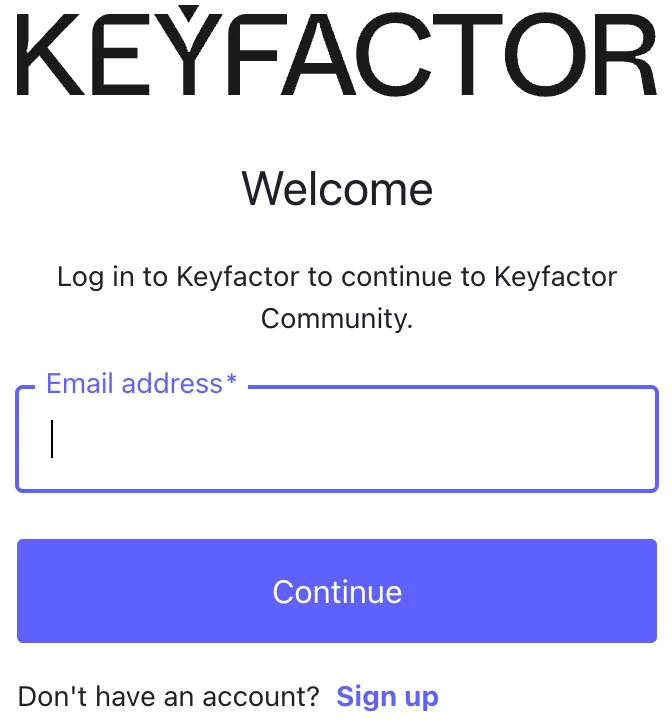
New here? Start by creating your account — it only takes a few minutes. The Keyfactor Community is available to customers and partners with a corporate email address. Your community and Keyfactor University are connected— if you don't have an account yet, you can create one as part of the sign-up process.
- Click Login in the upper right corner
- Click “Keyfactor Customer/Partner”
- If you already have a Keyfactor University account, log in with those credentials. If not, select Sign up to create a new one. If you've forgotten your password, enter your email, select Continue, then click Reset Password.
- Complete your registration information
Note: Your name and email are private and not displayed publically — only your username is visible to other members.
Step 2: Complete Your Profile
A complete profile helps you make real connections, build your network, and get better, faster responses. When other members can see your background and experience at a glance, they can tailor their answers to your specific situation.
To update your profile:
- Click your avatar or name in the upper right corner and select My Profile
- Click Edit Profile
- Update the following — add as much or as little as you’re comfortable with:
- Profile picture: Your photo, an image or company logo adds a warm, personal touch
- Country: Helps you connect with nearby members for virtual or in-person meetups
- About yourself: Share your role, areas of expertise, experience with Keyfactor products, and what you’re hoping to get out of the community
- Job title: Helps others understand your background and context
- Click the Notifications tab to set your email alert preferences — control notifications for replies, mentions, subscriptions, and more
- Click Save Changes when you’re done
Step 3: Read the Community Guidelines & Terms of Use
Before jumping in, please take a moment to familiarize yourself with our Community Guidelines and Terms and Conditions. They’re here to make sure this is a safe, respectful, and valuable space for everyone.
Step 4: Explore and Subscribe to Spaces
Find the spaces most relevant to your products, role, and interests and subscribe to stay up to date. Whether you’re working with EJBCA, Command, AgileSec, SignServer, Signum — or following broader topics like PKI, PQC, IoT, AI, or Compliance — there’s a space for you.
Browse and subscribe to community spaces.
Step 5: Register for Upcoming Events
From product webinars to in-person meetups, we’re committed to bringing the community together in meaningful ways. Check out what’s coming up and save your spot.
Step 6: Introduce Yourself
Say hello! Head over to our Introduction thread and tell the community a little about yourself — who you are, what you work on, and what brings you here. We’d love to meet you.
Step 7: Jump Into the Conversation
Now for the fun part — dive in! Here are a few ways to get started:
- Ask a question in your product space or topic area
- Share a tip, best practice, or lesson learned
- Join an existing conversation and add your perspective
- Answer a question from a fellow community member
As you participate — asking questions, sharing answers, and contributing to discussions — you’ll earn badges and build your community rank. Every contribution makes this community better for everyone.
We strive to be an inclusive, welcoming space where everyone feels comfortable sharing their knowledge and experience. Don’t be shy — we’re glad you’re here and can’t wait to see what you bring to the community!
We’re so excited to have you here. Welcome!
Questions about getting started or need help? Reach out to the community team at Team@keyfactorcommunity.com. We’re here to help.